
Gemini の会話を PDF、Markdown、テキスト、CSV、JSON、画像として無料で抽出・保存できます。 Gemini の結果を PDF でダウンロード。簡単に Gemini を美しい PDF に変換。
使用方法の手順に従ってください AI チャット エクスポーター Chrome 拡張機能
gemini.google.com を開く
エクスポートしたい会話に移動
‘選択’ボタンをクリックして、エクスポートする内容を選択
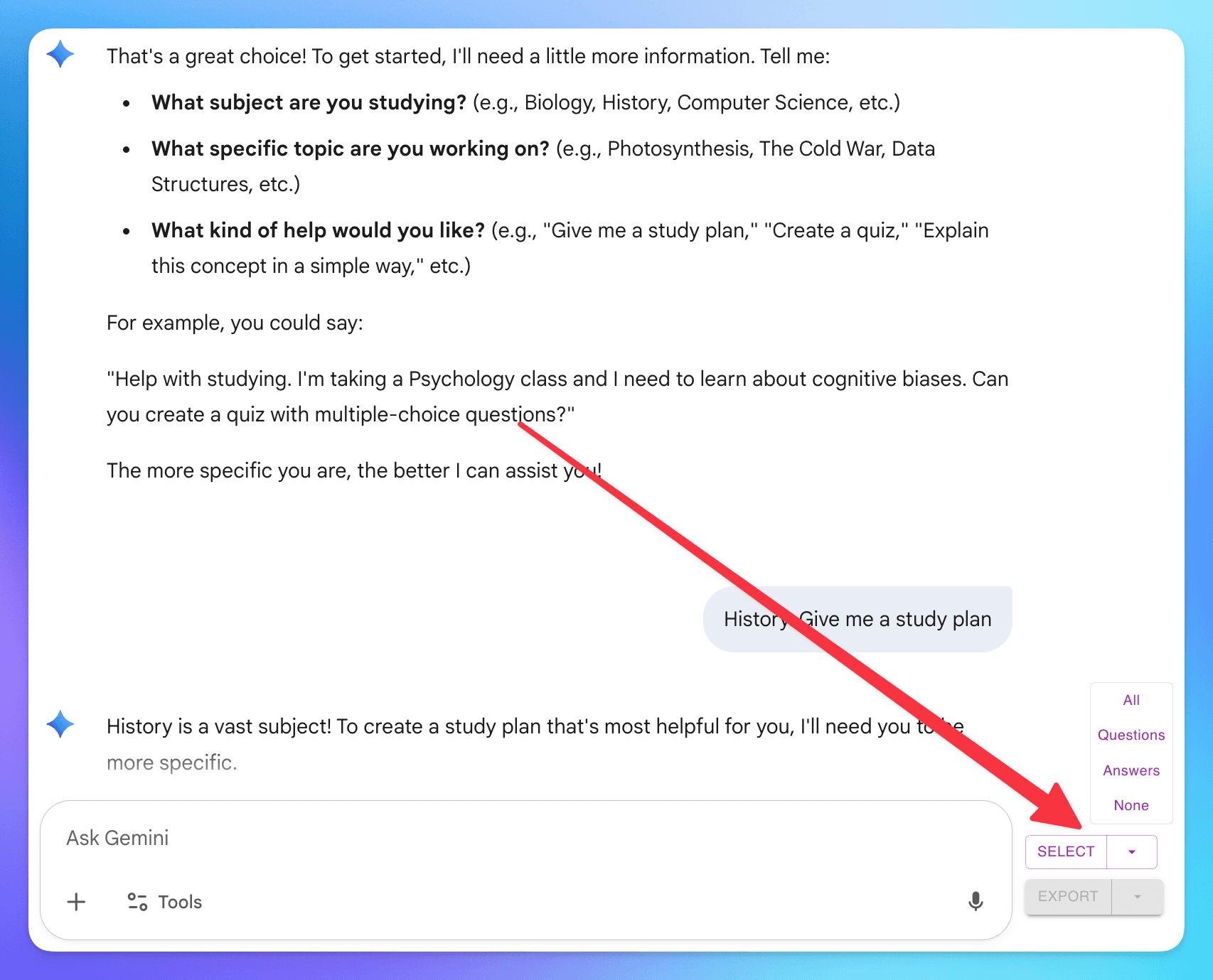
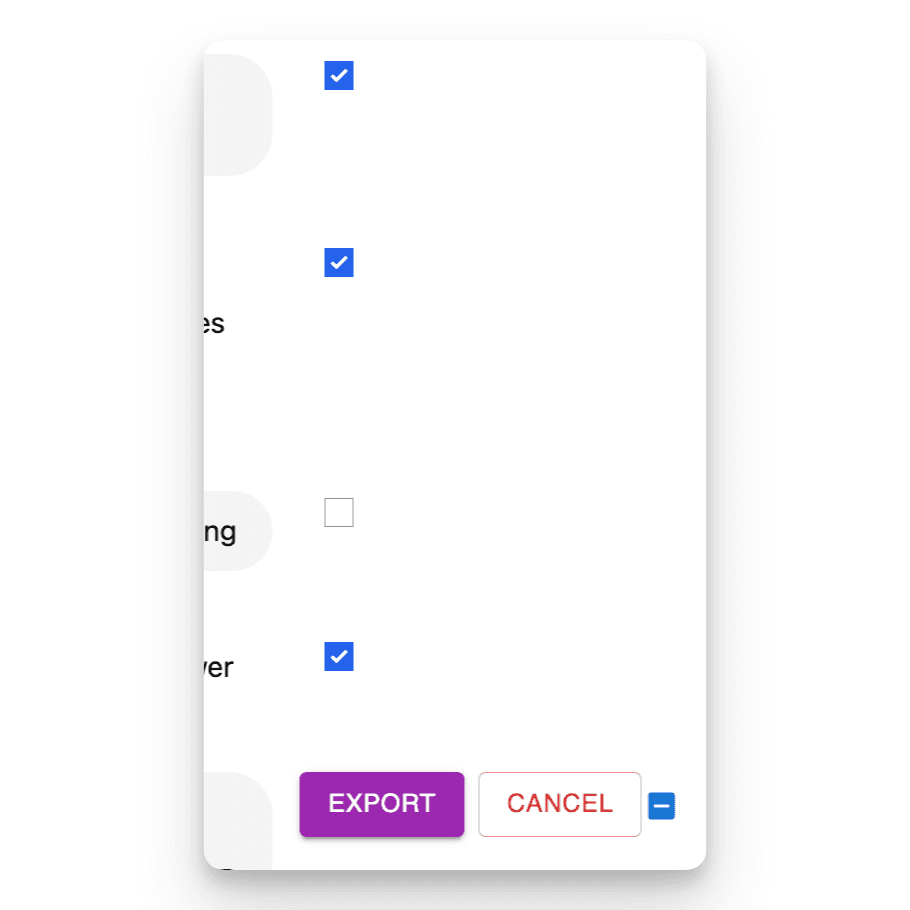
(un)check individual dialogs
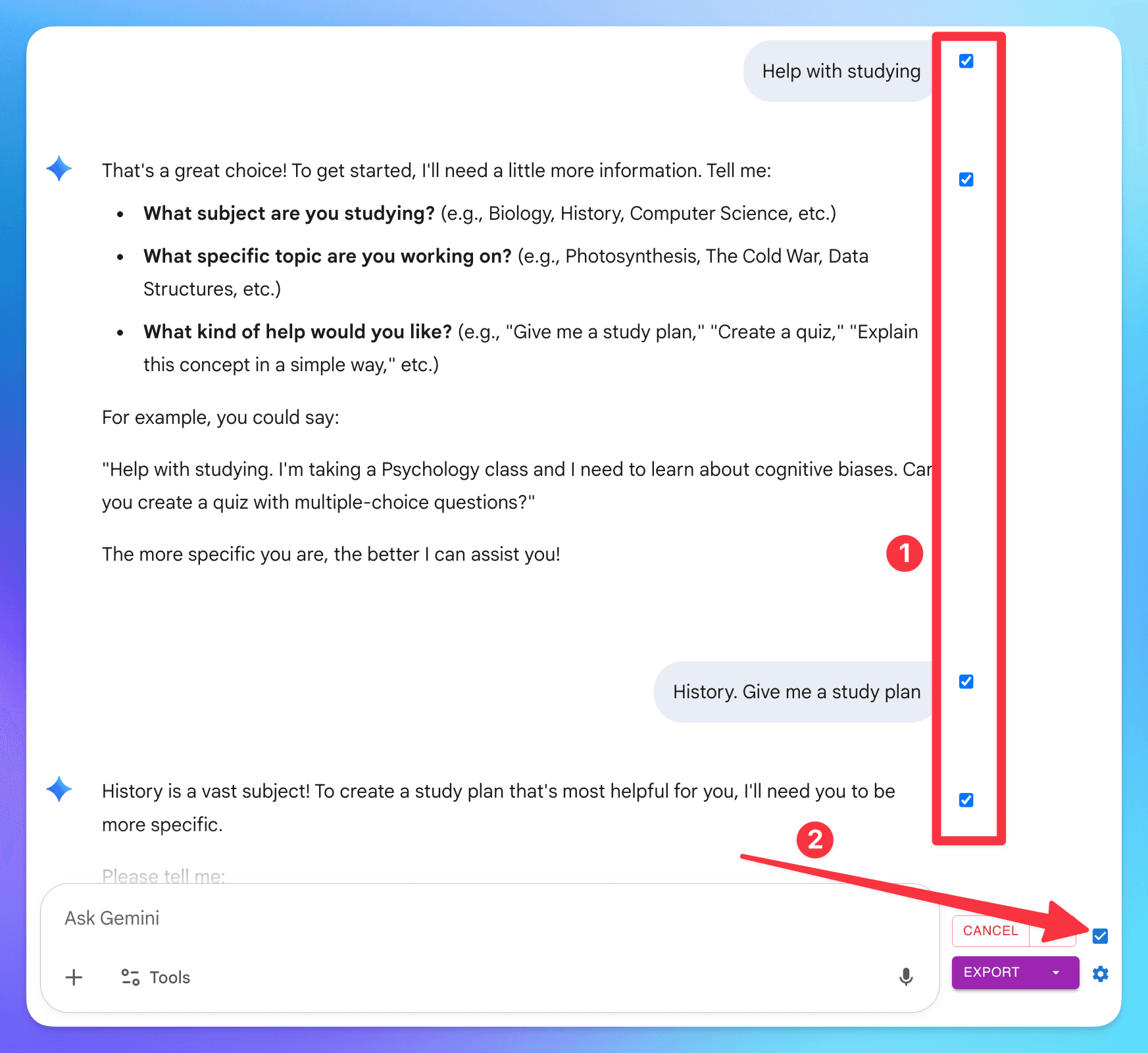
1. you can (un)check individual dialog
2. check/uncheck all dialog
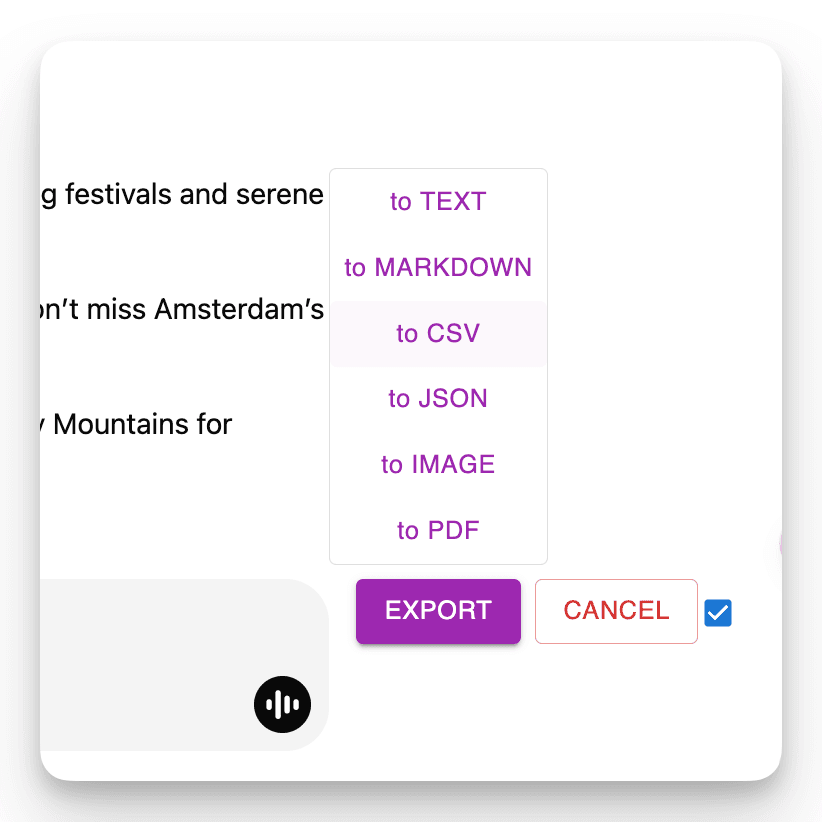
'エクスポート'ボタンをクリックして、ファイル形式を選択

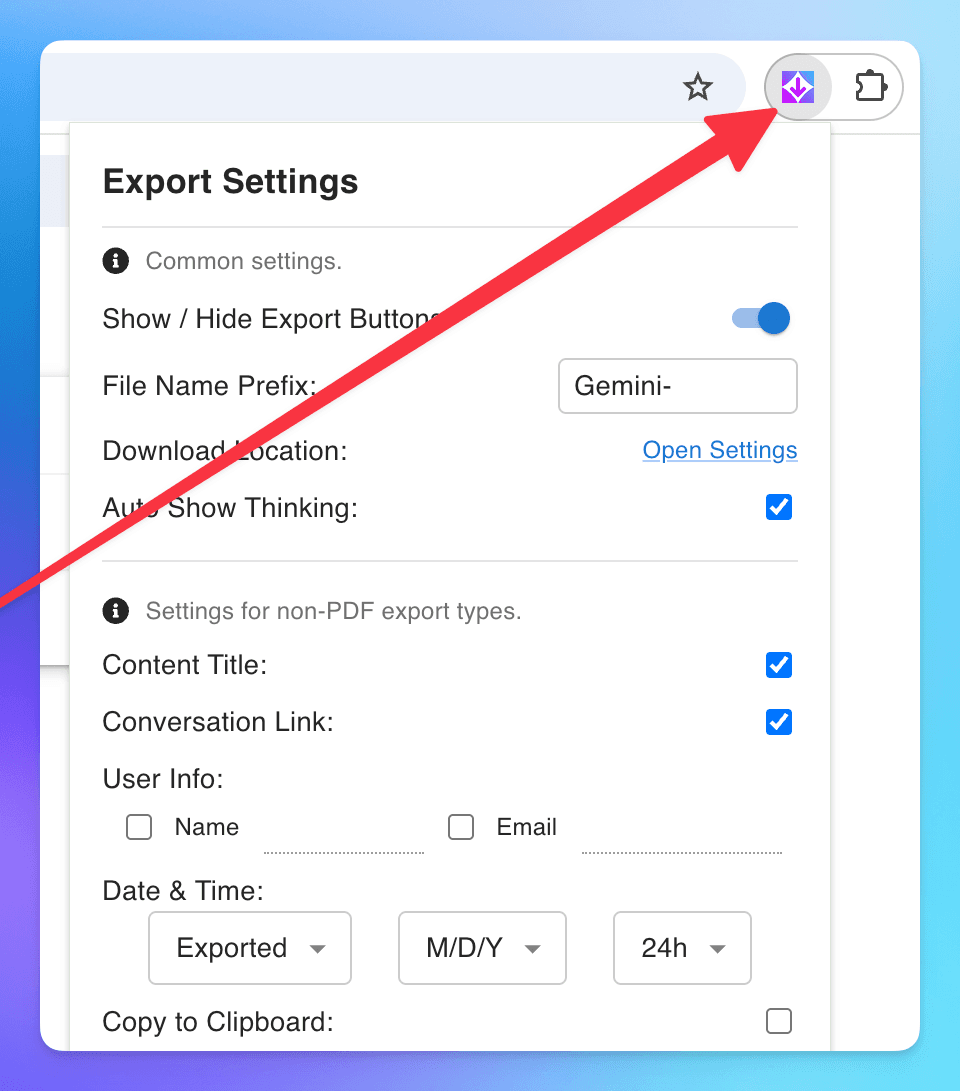
設定をカスタマイズするには、拡張機能のアイコンをクリック
よくある質問
AI チャット エクスポーターについて他の人が心配していることを見てみましょう
会話の特定のメッセージをエクスポートできますか?
はい!各メッセージの横にあるチェックボックスを使用して個別のメッセージを選択できます。便利なことに、'選択'ボタンの横にもチェックボックスがあり、すべてのメッセージをすばやく選択または選択解除できます。
会話データはどのように処理されますか?プライバシーについて懸念があります。
プライバシーは最優先事項です。会話データは一切保存しません。PDF にエクスポートする場合、データはファイルを生成するためにサーバーで一時的に処理され、完了後すぐに削除されます。他のすべてのエクスポート形式(Markdown、テキスト、JSON、CSV、画像)はブラウザ内で完全に処理されます。会話データを保存、分析、共有することはありません。
素晴らしい機能 あなたの生活を楽に
Gemini の結果を PDF、Markdown としてダウンロード...
AI チャット エクスポーターは多様なファイル形式に対応しています。Gemini の会話を PDF、Markdown、テキスト(TXT)、JSON、CSV、画像などの複数の形式でエクスポートできます。
会話の一部をエクスポート
必要な部分だけをダウンロードします。他の方法とは異なり、会話全体をダウンロードする必要はありません。必要な特定のレスポンスを選んでください!
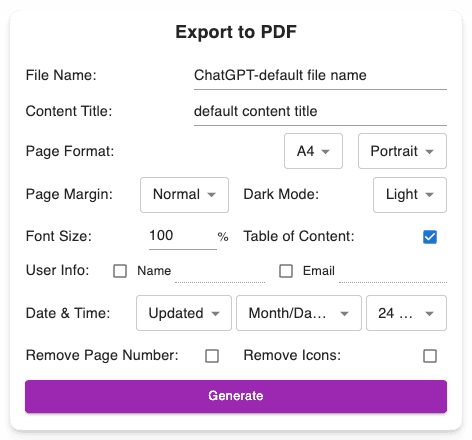
カスタマイズ可能なダウンロード設定
好みのファイル名を設定。コンテンツタイトルを定義。PDF フォーマットを調整、ダークモードまたはライトモードを選択して Gemini のインターフェースを変更せずに使用。長い PDF でもナビゲートしやすいページ番号を含む。
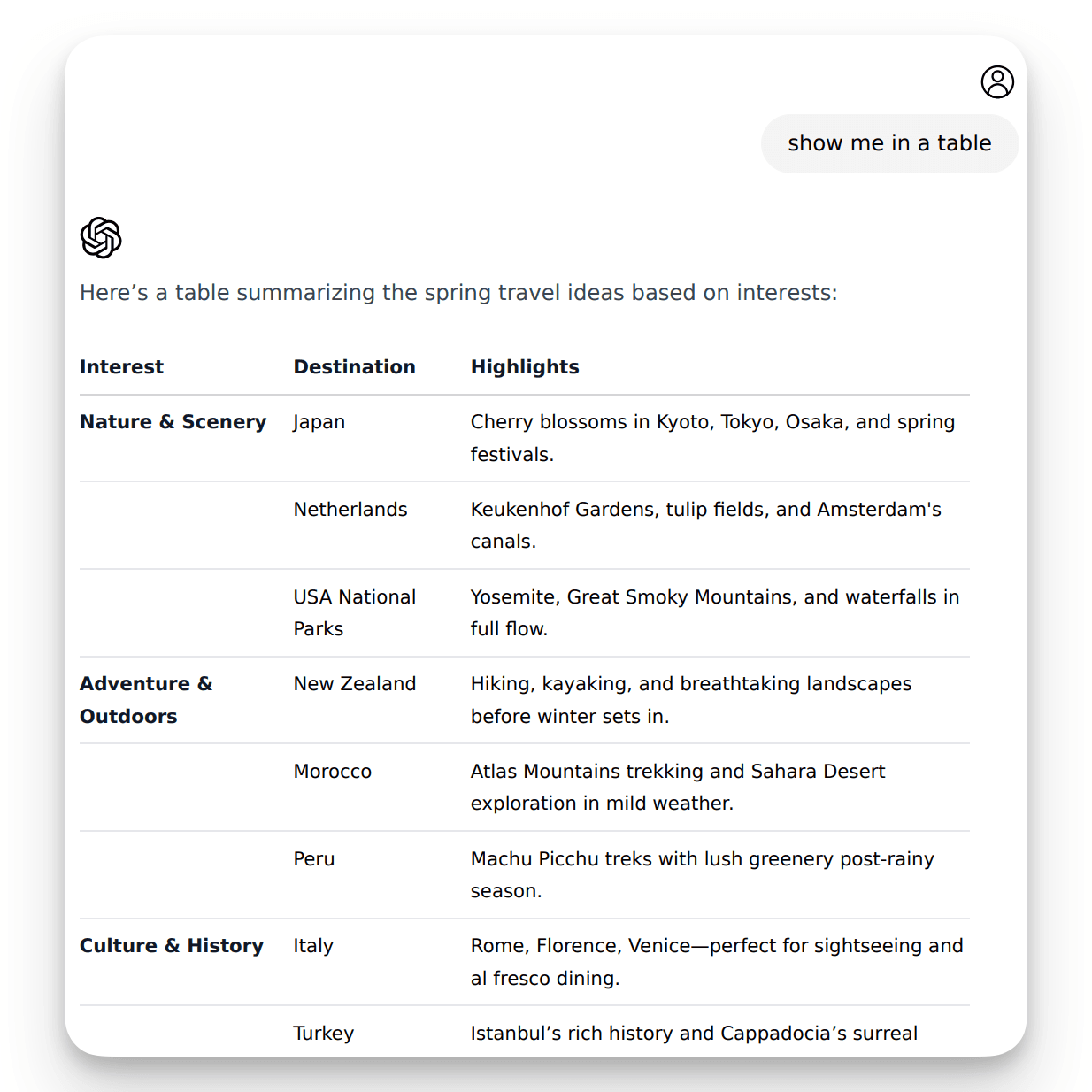
高度な出力を保持
キャンバス、思考プロセス、深い調査、数式(ブロックおよびインライン)、開発者向けコードブロック、テーブルや構造化コンテンツなど、重要な Gemini のフォーマットを保持します。
“Excellent!!! Simple and does what it is supposed to do: exports the whole loaded conversation + thinking + deep research and canvas. However, if you want to export the chat from the very beginning, scroll up to the beginning, so the whole chat is loaded, then select all, then export in the format you want.”

“very good!”

“Buenisimo. La función de esta extensión claramente se hace cargo de una función que deberia existir gratuitamente desde la misma Gemini.”

“I have only exported to the default markdown format as yet, but it seems to do the job quite well, and it is much better than trying to copy and paste a file. I'm using Linux Mint with Cinnamon, so I installed Ghostwriter, a markdown and preview editor. I believe the combination of Exporter and Ghostwriter are going to meet my needs, but I also plan to experiment with the export to other formats, such as PDF, later when I get a few moments. Meanwhile, I give Exporter 5 stars.”

“The best one! Great work!!!”

“Genau das, wonach ich gesucht habe. Damit kann ich interessante Chatverläufe aus Gimini komplett in Obsidian übertragen. Toll! Danke.”

“Great extension, small, clean, effective! The developer responds super fast, many thanks!”

“This works great for me. It saves me a lot of time. Thank you so much!”

“It is the first extension or usersciprt I ever found which can export thinking in Gemini”

“Endlich kann ich meine Gemini-Chats exportieren. Klasse Sache.”

“Works for me, thanks.”

始める準備はできましたか?
AI チャット エクスポーター を今すぐインストール。
Gemini の結果を PDF、Markdown、テキスト、JSON、CSV、または画像形式でダウンロードするための究極のツールで生産性を向上させましょう。